

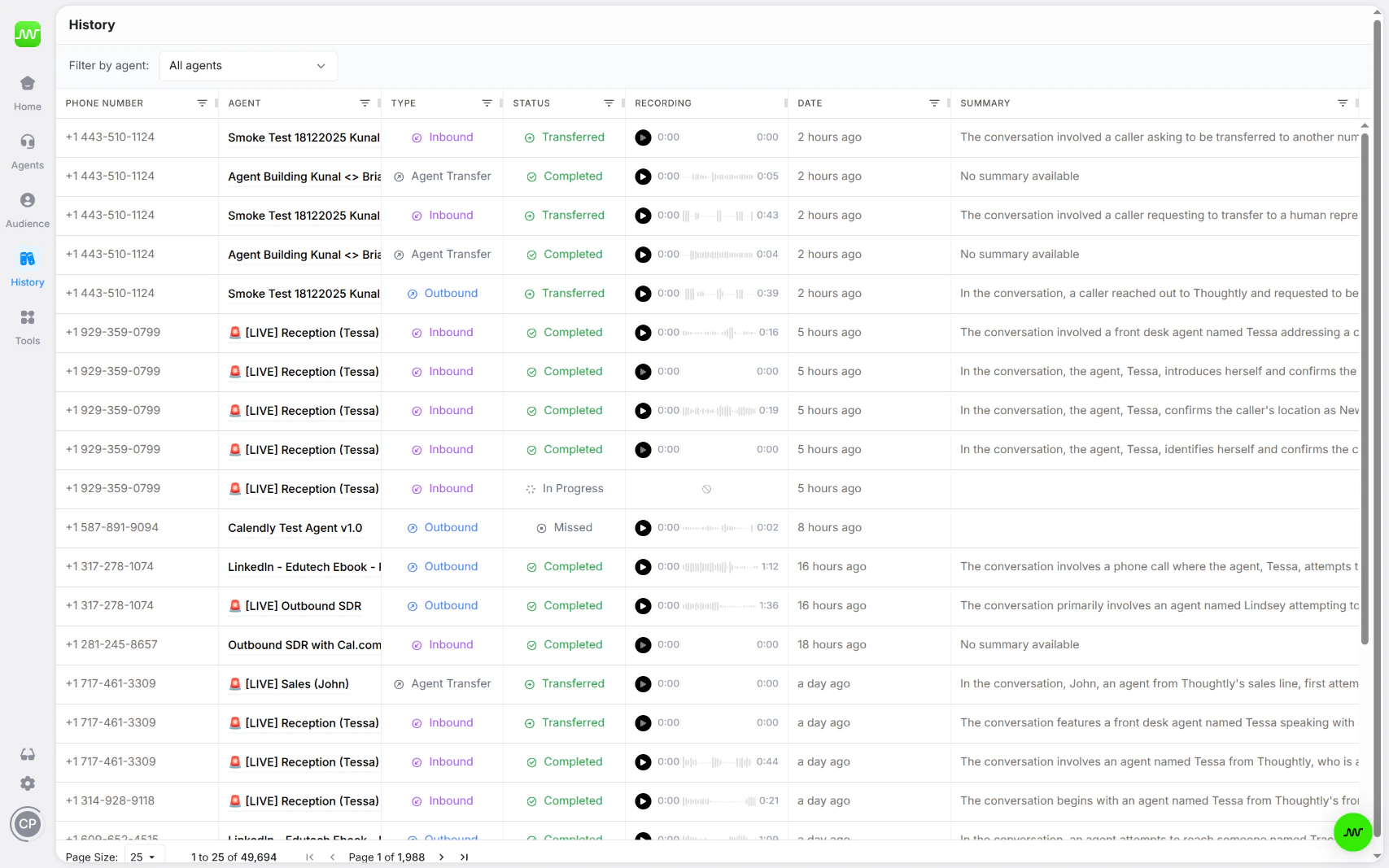
History view
What you’ll find
History provides a single, filterable view of every call, message, and interaction handled by your agents. Use it to:- Review call recordings and transcripts
- Monitor agent performance across your entire workspace
- Filter by agent, date range, outcome, or other criteria
- Drill into individual interactions for full detail
Filtering by agent
When you click the Responses tab inside the Agent Builder, you are redirected to History with a filter pre-applied for that specific agent. This lets you quickly see all interactions for a single agent without leaving your workflow. You can also manually filter History by agent at any time using the filter controls at the top of the page.History vs. Timeline
History and the contact Timeline serve different purposes:See also
- Audiences — manage contacts in the Audiences table
- Agent Builder — build and configure agents
- Automations — trigger workflows based on call outcomes
Call statuses
History uses statuses to distinguish what happened to each interaction.
A completed call is not always a successful business outcome. Use outcomes, tags, variables, and analytics to measure what matters for your workflow.
Filtering and search
Use filters to find calls and messages by agent, status, call type, date, tags, phone number, summary, or other available fields. Multiple filters narrow the result set.Export history
Use Export to download filtered History results for reporting or review.- Apply the filters you want.
- Click Export.
- Confirm if exporting a large result set.
- Wait for the export to finish.
- Download the CSV or use the emailed export link where available.