> ## Documentation Index
> Fetch the complete documentation index at: https://docs.thoughtly.com/llms.txt
> Use this file to discover all available pages before exploring further.
# Dark windows and quiet hours
> Configure dark windows in Thoughtly to block outbound calls, SMS, and other channels during quiet hours, weekends, or holidays based on contact time zones.
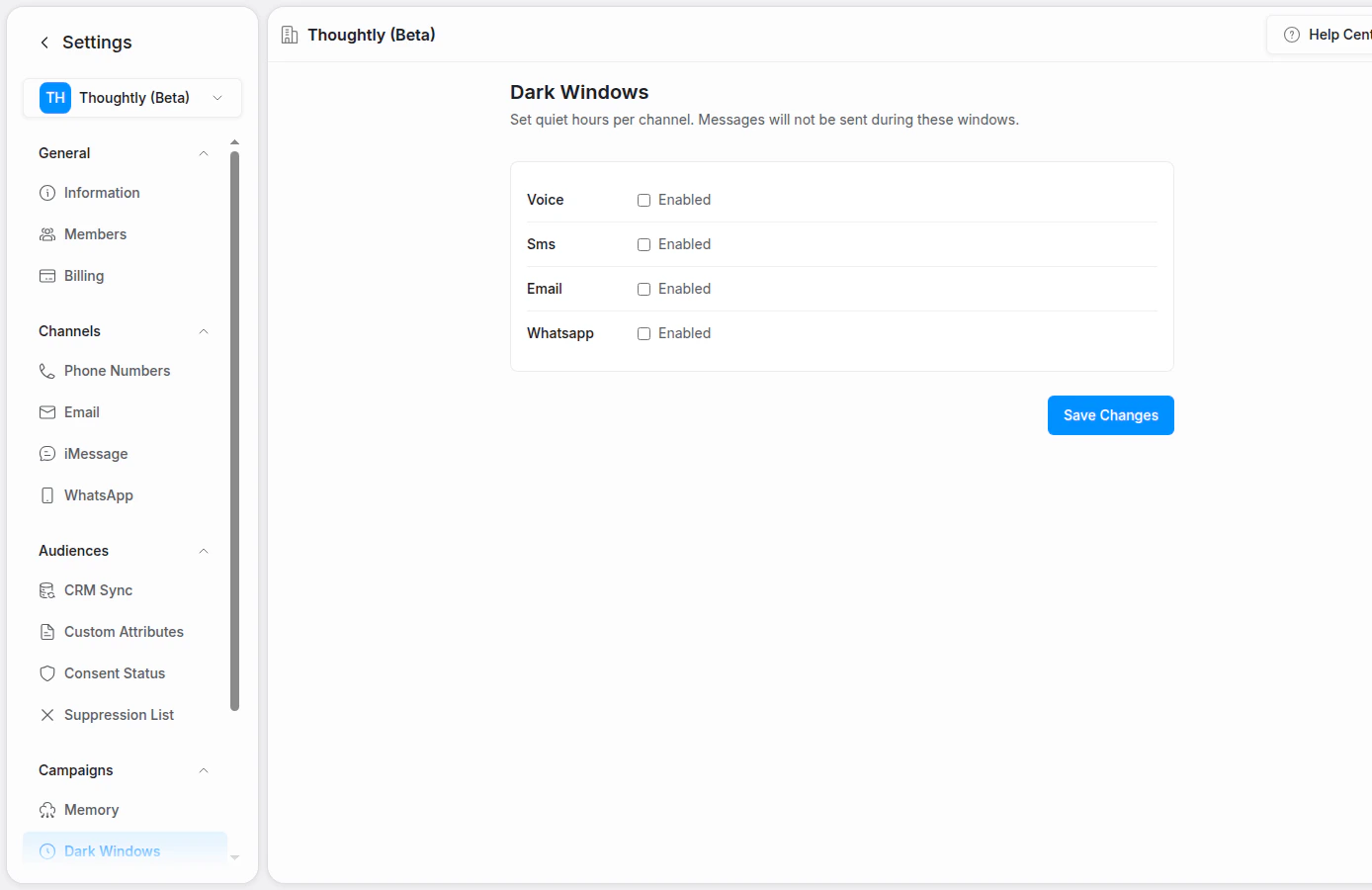
Dark windows define quiet hours when Thoughtly should not send outbound communications on selected channels. Use them to avoid contacting people too early, too late, or during channel-specific blackout periods.
 ## Channels
Dark windows can apply to supported outbound channels such as:
* Voice
* SMS
* Email
* WhatsApp
* iMessage
## Configure a dark window
1. Go to **Settings → Campaigns → Dark Windows** or the equivalent workspace setting.
2. Choose the channel.
3. Enable quiet hours for that channel.
4. Set the start and end time.
5. Save changes.
## Time zones
Dark windows are usually evaluated against your workspace timezone unless contact-level timezone behavior is enabled. If you contact people across multiple regions, confirm which timezone your workspace uses before scaling outbound workflows.
## Best practices
* Align quiet hours with your compliance and customer-experience policies.
* Use stricter windows for SMS and WhatsApp than for email when appropriate.
* Pair dark windows with [consent and suppression](/platform/settings/audiences).
## Channels
Dark windows can apply to supported outbound channels such as:
* Voice
* SMS
* Email
* WhatsApp
* iMessage
## Configure a dark window
1. Go to **Settings → Campaigns → Dark Windows** or the equivalent workspace setting.
2. Choose the channel.
3. Enable quiet hours for that channel.
4. Set the start and end time.
5. Save changes.
## Time zones
Dark windows are usually evaluated against your workspace timezone unless contact-level timezone behavior is enabled. If you contact people across multiple regions, confirm which timezone your workspace uses before scaling outbound workflows.
## Best practices
* Align quiet hours with your compliance and customer-experience policies.
* Use stricter windows for SMS and WhatsApp than for email when appropriate.
* Pair dark windows with [consent and suppression](/platform/settings/audiences).