> ## Documentation Index
> Fetch the complete documentation index at: https://docs.thoughtly.com/llms.txt
> Use this file to discover all available pages before exploring further.
# Vibes AI assistant
> Build and refine Thoughtly voice agents conversationally with Vibes, an AI assistant that drafts prompts, nodes, and outcomes from plain-language instructions.
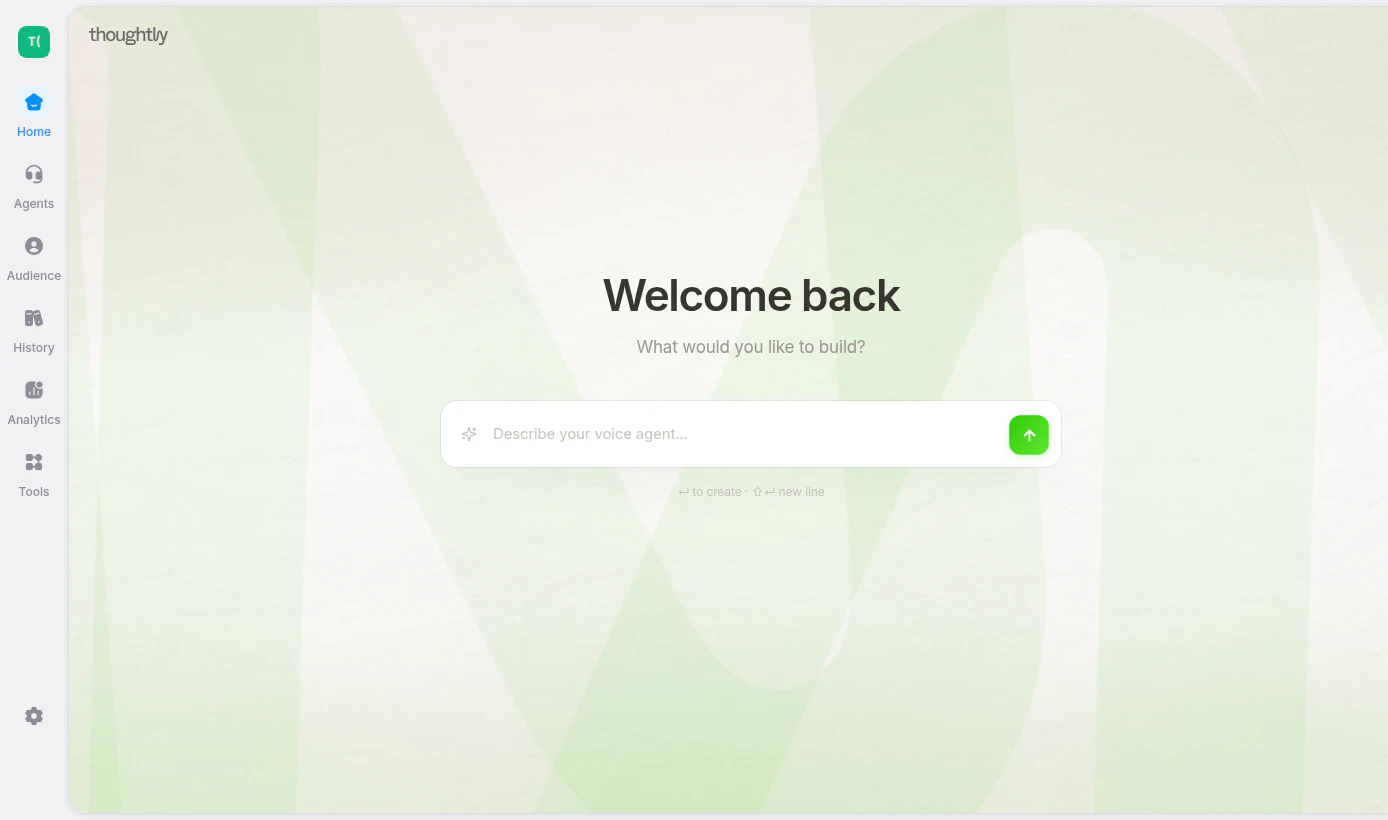
Vibes helps you create and edit Thoughtly agents through natural conversation. Instead of starting with a blank canvas, describe the workflow you want and Vibes can draft nodes, outcomes, prompts, and actions for you.
Use Vibes as a guided builder, not a replacement for review. After Vibes creates or edits an agent, inspect the flow, required fields, integrations, variables, and compliance copy before publishing.
 ## What Vibes can help with
Vibes can assist with:
* Building a new agent from a plain-language description
* Updating an existing flow
* Adding or editing nodes and outcomes
* Drafting prompts and messages
* Configuring agent settings
* Explaining how a workflow is structured
* Iterating on a flow after testing
## When Vibes asks questions
If your request is too broad, Vibes may ask clarifying questions before building. This avoids creating a generic agent that misses important business logic.
Vibes may ask about:
1. **Business type** — the industry or use case
2. **Agent objective** — what the agent should accomplish
3. **Information to collect** — name, email, budget, appointment type, objections, or other fields
4. **Integrations** — CRM, calendar, SMS, webhook, email, or other systems
5. **Routing and success criteria** — when to transfer, end, follow up, or mark the conversation successful
## Good prompts
Good Vibes prompts are specific about the desired outcome.
```text theme={null}
Build a lead qualification agent for a home-services company. It should greet inbound callers, ask what service they need, collect address and timing, qualify urgency, and transfer emergencies to our dispatch line. For non-emergencies, create a callback task and send an SMS confirmation.
```
```text theme={null}
Create an SMS follow-up agent for missed calls. If the contact replies, ask whether they still need help, collect the best callback time, and update the contact with the requested service.
```
```text theme={null}
Update this agent so that when the caller asks for pricing, it gives a short answer, collects their email, and sends a follow-up through the Send Email action.
```
## Vague prompts
Vague prompts usually need follow-up before Vibes can build well.
```text theme={null}
Build me a scheduling agent.
```
Better:
```text theme={null}
Build a scheduling agent for a dental office. It should ask whether the patient is new or returning, collect preferred days, check Calendly availability, book the selected slot, and send an SMS confirmation.
```
## Review checklist
Before publishing a Vibes-generated flow:
* Confirm the agent goal and success criteria are correct.
* Read every message and prompt in the expected channel context.
* Check that variables reference the right fields.
* Confirm required integrations are connected.
* Verify transfer numbers, scheduling links, and webhook URLs.
* Test with realistic metadata in [Test Agent](/agents/testing).
* Make sure compliance language, opt-out handling, and suppression rules fit your workflow.
Vibes can accelerate setup, but generated flows should still be reviewed and tested before production use.
## Troubleshooting
### Vibes built the wrong thing
Ask Vibes to modify the specific part that is wrong, or edit the flow manually. For best results, name the node, action, or outcome you want changed.
### Vibes skipped questions
If you want a more guided setup, start with a shorter request and answer the clarification questions. If you already provided enough details, Vibes may proceed directly to building.
### You navigated away during setup
If Vibes was asking questions and you left the Agent Builder, return to the same agent. Your pending question card should reappear. If it does not, refresh the page.
## What Vibes can help with
Vibes can assist with:
* Building a new agent from a plain-language description
* Updating an existing flow
* Adding or editing nodes and outcomes
* Drafting prompts and messages
* Configuring agent settings
* Explaining how a workflow is structured
* Iterating on a flow after testing
## When Vibes asks questions
If your request is too broad, Vibes may ask clarifying questions before building. This avoids creating a generic agent that misses important business logic.
Vibes may ask about:
1. **Business type** — the industry or use case
2. **Agent objective** — what the agent should accomplish
3. **Information to collect** — name, email, budget, appointment type, objections, or other fields
4. **Integrations** — CRM, calendar, SMS, webhook, email, or other systems
5. **Routing and success criteria** — when to transfer, end, follow up, or mark the conversation successful
## Good prompts
Good Vibes prompts are specific about the desired outcome.
```text theme={null}
Build a lead qualification agent for a home-services company. It should greet inbound callers, ask what service they need, collect address and timing, qualify urgency, and transfer emergencies to our dispatch line. For non-emergencies, create a callback task and send an SMS confirmation.
```
```text theme={null}
Create an SMS follow-up agent for missed calls. If the contact replies, ask whether they still need help, collect the best callback time, and update the contact with the requested service.
```
```text theme={null}
Update this agent so that when the caller asks for pricing, it gives a short answer, collects their email, and sends a follow-up through the Send Email action.
```
## Vague prompts
Vague prompts usually need follow-up before Vibes can build well.
```text theme={null}
Build me a scheduling agent.
```
Better:
```text theme={null}
Build a scheduling agent for a dental office. It should ask whether the patient is new or returning, collect preferred days, check Calendly availability, book the selected slot, and send an SMS confirmation.
```
## Review checklist
Before publishing a Vibes-generated flow:
* Confirm the agent goal and success criteria are correct.
* Read every message and prompt in the expected channel context.
* Check that variables reference the right fields.
* Confirm required integrations are connected.
* Verify transfer numbers, scheduling links, and webhook URLs.
* Test with realistic metadata in [Test Agent](/agents/testing).
* Make sure compliance language, opt-out handling, and suppression rules fit your workflow.
Vibes can accelerate setup, but generated flows should still be reviewed and tested before production use.
## Troubleshooting
### Vibes built the wrong thing
Ask Vibes to modify the specific part that is wrong, or edit the flow manually. For best results, name the node, action, or outcome you want changed.
### Vibes skipped questions
If you want a more guided setup, start with a shorter request and answer the clarification questions. If you already provided enough details, Vibes may proceed directly to building.
### You navigated away during setup
If Vibes was asking questions and you left the Agent Builder, return to the same agent. Your pending question card should reappear. If it does not, refresh the page.