> ## Documentation Index
> Fetch the complete documentation index at: https://docs.thoughtly.com/llms.txt
> Use this file to discover all available pages before exploring further.
# Test voice agents before launch
> Validate conversation logic, voice quality, and integrations with Thoughtly's in-app test caller and simulated runs before deploying an agent to production.
export const NextSection = ({title, icon, href, description}) =>
{description}
;
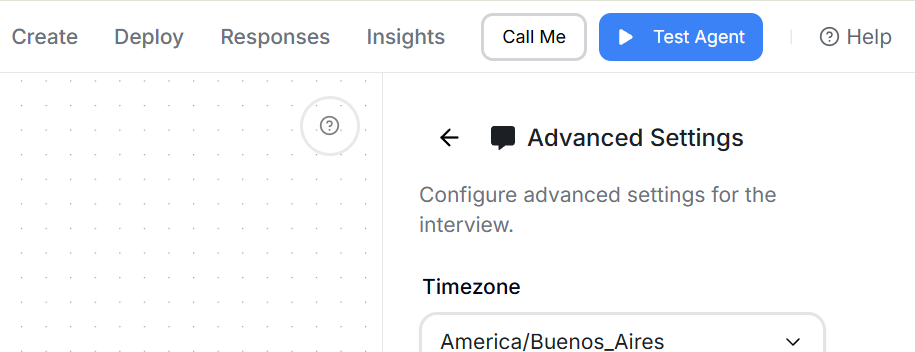 Validate your flows before going live. These tools save time, catch logic gaps, and ensure the voice experience matches your brand.
## Test Agent (text chat)
Validate your flows before going live. These tools save time, catch logic gaps, and ensure the voice experience matches your brand.
## Test Agent (text chat)
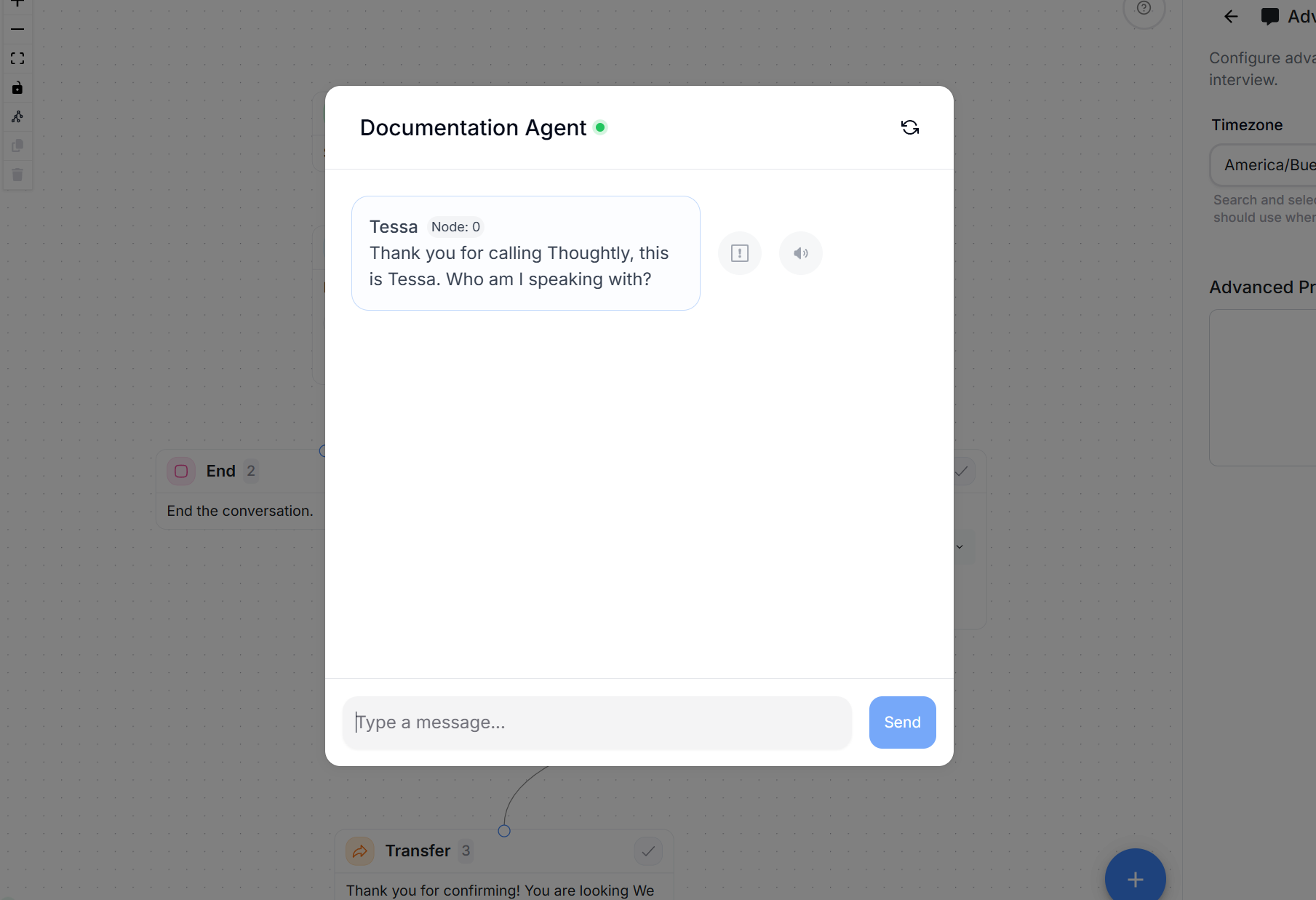 **What it does:** Lets you talk to your agent in text. Ideal for fast debugging while building.
**Why it is useful**
* Instant feedback - no dialing required.
* Validate [Outcomes](/agents/outcomes) logic, [Variables](/agents/variables) extraction, and [Actions](/agents/actions) outputs.
* Reproduce edge cases quickly by copying and pasting caller messages.
**How to use**
1. Click **Test Agent**.
2. Send a few representative messages (greeting, objections, qualification answers).
3. Watch for:
* Outcome path taken
* Node step numbers in the conversation flow
* Variables extracted or updated
* Action results and flags
4. Adjust Speak nodes, outcomes, or variables as needed and retest.
**Pro tips**
* Keep a list of 10-15 common caller phrases per branch and run them after each edit.
* Use the self-loop pattern to test Q\&A depth (see [Outcomes -> Loops](/agents/outcomes#loops-special-use-case)).
* If a Prompt feels wordy, shorten it and retest - clarity beats cleverness.
**Limitations**
Text chat does not reveal TTS quality, barge-in timing, or background-noise behavior. Use **Call Me** to test the real call experience.
## Call Me (real call)
**What it does:** Places an actual phone call to you from the agent. Perfect for final checks before talking to customers.
**What to listen for**
* **Voice & style:** Does the selected voice match your brand? Any mispronunciations? Adjust voice/language under [Settings](/agents/settings).
* **Barge-in/interruptions:** Are critical lines protected by *Uninterrupted message*?
* **Endpointing/latency:** Is the agent cutting callers off or waiting too long? Tune sensitivity, utterance end, and silence timeout/retries in Settings -> Presence.
* **Transfer behavior:** Does the [Transfer node](/agents/nodes#transfer-node) hand off cleanly and play the pre-transfer message?
* **Action timing:** Do mid-call actions feel smooth? Add a short "One moment..." line if needed.
**How to use**
1. Click **Call Me** and confirm your phone number.
2. Take the call and run through your top 5-10 scenarios (success, objections, no-answer, transfer).
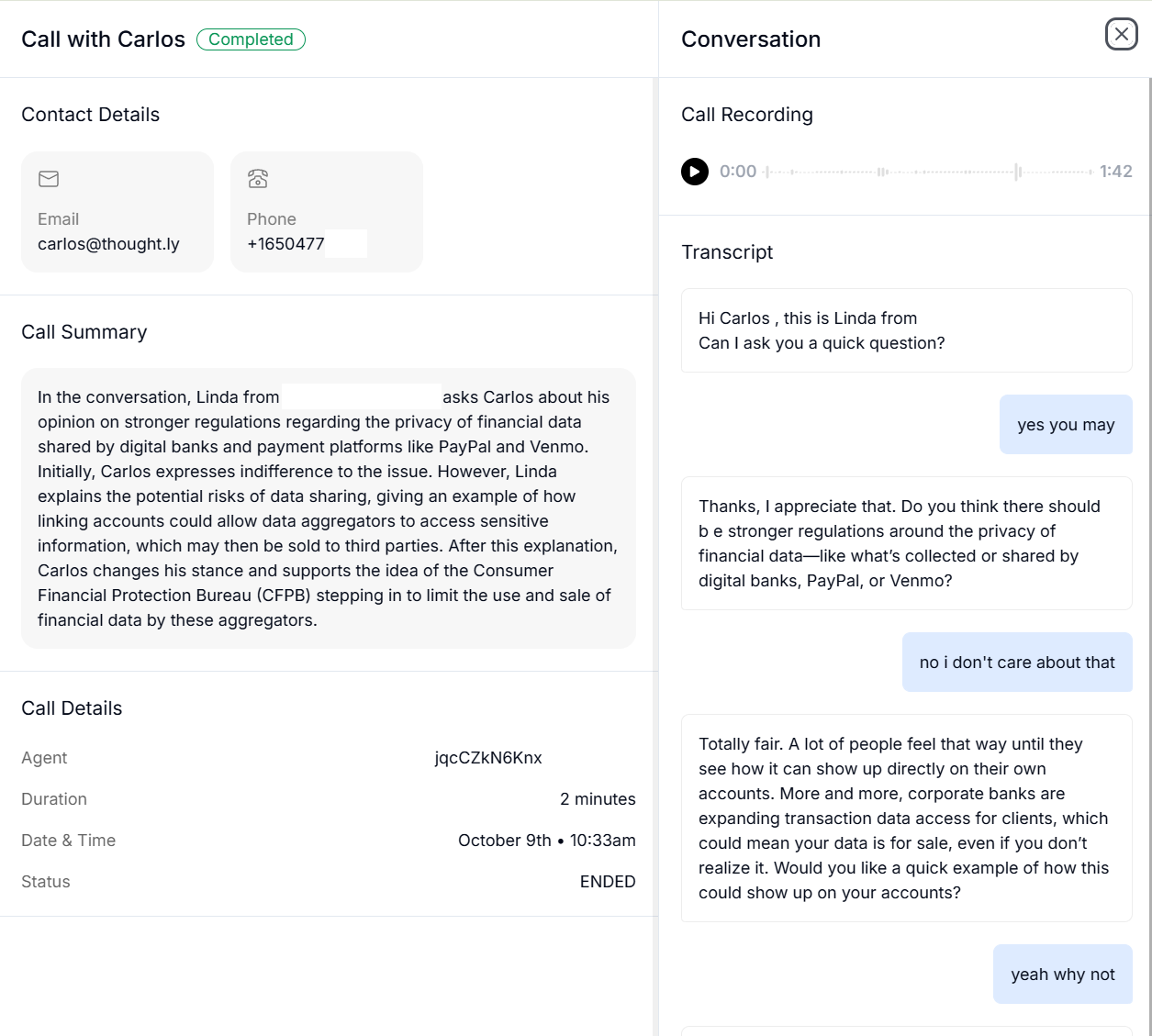
3. After the call, review the response log for more information about the call. Node step numbers help you identify exactly where the conversation went during replay.
**What it does:** Lets you talk to your agent in text. Ideal for fast debugging while building.
**Why it is useful**
* Instant feedback - no dialing required.
* Validate [Outcomes](/agents/outcomes) logic, [Variables](/agents/variables) extraction, and [Actions](/agents/actions) outputs.
* Reproduce edge cases quickly by copying and pasting caller messages.
**How to use**
1. Click **Test Agent**.
2. Send a few representative messages (greeting, objections, qualification answers).
3. Watch for:
* Outcome path taken
* Node step numbers in the conversation flow
* Variables extracted or updated
* Action results and flags
4. Adjust Speak nodes, outcomes, or variables as needed and retest.
**Pro tips**
* Keep a list of 10-15 common caller phrases per branch and run them after each edit.
* Use the self-loop pattern to test Q\&A depth (see [Outcomes -> Loops](/agents/outcomes#loops-special-use-case)).
* If a Prompt feels wordy, shorten it and retest - clarity beats cleverness.
**Limitations**
Text chat does not reveal TTS quality, barge-in timing, or background-noise behavior. Use **Call Me** to test the real call experience.
## Call Me (real call)
**What it does:** Places an actual phone call to you from the agent. Perfect for final checks before talking to customers.
**What to listen for**
* **Voice & style:** Does the selected voice match your brand? Any mispronunciations? Adjust voice/language under [Settings](/agents/settings).
* **Barge-in/interruptions:** Are critical lines protected by *Uninterrupted message*?
* **Endpointing/latency:** Is the agent cutting callers off or waiting too long? Tune sensitivity, utterance end, and silence timeout/retries in Settings -> Presence.
* **Transfer behavior:** Does the [Transfer node](/agents/nodes#transfer-node) hand off cleanly and play the pre-transfer message?
* **Action timing:** Do mid-call actions feel smooth? Add a short "One moment..." line if needed.
**How to use**
1. Click **Call Me** and confirm your phone number.
2. Take the call and run through your top 5-10 scenarios (success, objections, no-answer, transfer).
3. After the call, review the response log for more information about the call. Node step numbers help you identify exactly where the conversation went during replay.
 **Checklist for a pass**
* Opener is crisp; consent or disclaimers are verbatim where needed.
* Numbers are easy to understand (enable *Read numbers phonetically* for IDs).
* Interruptions behave as intended (on for long instructions; off for natural conversation).
* Transfers work; voicemails leave the right message.
* Post-call notifications and dispositions land where expected (Settings -> Post-call).
**Troubleshooting**
* Agent talks over you -> lower sensitivity or shorten utterance end (Settings -> Presence).
* Agent waits too long -> reduce utterance end or silence timeout.
* Wrong path chosen -> check outcome labels for overlap (prompt-based) or rule order (rule-based).
* Variables empty or incorrect -> switch source to *Current speak node* for precise asks; tighten extraction instructions.
* Mid-call action confusion -> ensure rule-based outcomes check action flags.
## Workflow recommendation
1. Build the flow skeleton with Speak nodes and Outcomes.
2. Validate logic and extractions with Test Agent (text).
3. Add Actions and retest text.
4. Tune Settings (Presence, Voice/Language).
5. Use Call Me for live feel and final polish.
## See also
* [Speak nodes](/agents/nodes#speak-node) - author prompts and messages.
* [Outcomes](/agents/outcomes) - routing after each turn.
* [Variables](/agents/variables) - capture and reuse information.
* [Actions](/agents/actions) - mid-call integrations and branching.
* [Settings](/agents/settings) - Presence, Voice, Language tuning.
* [Voices](/agents/voices) - browse, preview, and assign voices.
## Testing with sample metadata
Test Agent can use sample metadata so you can verify how an agent behaves with realistic caller or workflow context before placing a real call.
Examples of useful test metadata:
```json theme={null}
{
"first_name": "Jordan",
"lead_source": "website_form",
"appointment_type": "consultation",
"priority": "high"
}
```
Use sample metadata to test personalization, variables, conditional routing, and prompts that depend on CRM or automation data.
## Test chat sessions
Text-based test sessions are isolated from live calls. Use them to quickly inspect prompts, branching, and variable usage. For voice quality, interruption behavior, pronunciation, and transfer timing, place a real test call before going live.
**Checklist for a pass**
* Opener is crisp; consent or disclaimers are verbatim where needed.
* Numbers are easy to understand (enable *Read numbers phonetically* for IDs).
* Interruptions behave as intended (on for long instructions; off for natural conversation).
* Transfers work; voicemails leave the right message.
* Post-call notifications and dispositions land where expected (Settings -> Post-call).
**Troubleshooting**
* Agent talks over you -> lower sensitivity or shorten utterance end (Settings -> Presence).
* Agent waits too long -> reduce utterance end or silence timeout.
* Wrong path chosen -> check outcome labels for overlap (prompt-based) or rule order (rule-based).
* Variables empty or incorrect -> switch source to *Current speak node* for precise asks; tighten extraction instructions.
* Mid-call action confusion -> ensure rule-based outcomes check action flags.
## Workflow recommendation
1. Build the flow skeleton with Speak nodes and Outcomes.
2. Validate logic and extractions with Test Agent (text).
3. Add Actions and retest text.
4. Tune Settings (Presence, Voice/Language).
5. Use Call Me for live feel and final polish.
## See also
* [Speak nodes](/agents/nodes#speak-node) - author prompts and messages.
* [Outcomes](/agents/outcomes) - routing after each turn.
* [Variables](/agents/variables) - capture and reuse information.
* [Actions](/agents/actions) - mid-call integrations and branching.
* [Settings](/agents/settings) - Presence, Voice, Language tuning.
* [Voices](/agents/voices) - browse, preview, and assign voices.
## Testing with sample metadata
Test Agent can use sample metadata so you can verify how an agent behaves with realistic caller or workflow context before placing a real call.
Examples of useful test metadata:
```json theme={null}
{
"first_name": "Jordan",
"lead_source": "website_form",
"appointment_type": "consultation",
"priority": "high"
}
```
Use sample metadata to test personalization, variables, conditional routing, and prompts that depend on CRM or automation data.
## Test chat sessions
Text-based test sessions are isolated from live calls. Use them to quickly inspect prompts, branching, and variable usage. For voice quality, interruption behavior, pronunciation, and transfer timing, place a real test call before going live.