> ## Documentation Index
> Fetch the complete documentation index at: https://docs.thoughtly.com/llms.txt
> Use this file to discover all available pages before exploring further.
# Agent Builder overview
> Design, test, and launch conversational voice agents with the Thoughtly Agent Builder — a visual node-based editor for prompts, actions, and outcomes.
export const NextSection = ({title, icon, href, description}) =>
{description}
;
 **Prerequisites**: Complete [Introduction](/getting-started/introduction) and [Quick Start](/getting-started/quick-start) first.
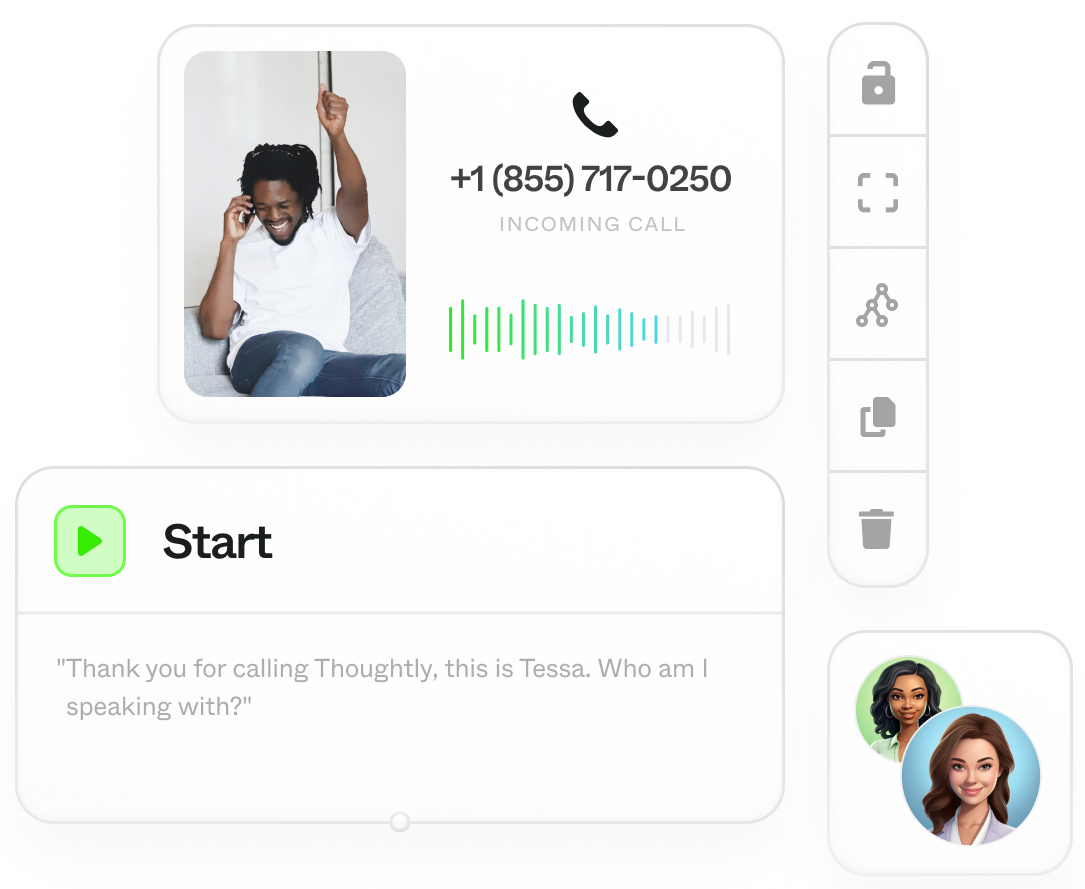
Welcome to the Agent Builder. This is where non-technical teams design, test, and launch [conversational agents](/resources/glossary#voice-agent) that sound natural and get work done.
## What you can build
* Voice agents that open calls, answer questions, qualify leads, book meetings, and transfer to people when needed
* Consistent, brand-safe scripting with adaptive AI where it helps and deterministic rules where it matters most
## How the builder is organized
**Prerequisites**: Complete [Introduction](/getting-started/introduction) and [Quick Start](/getting-started/quick-start) first.
Welcome to the Agent Builder. This is where non-technical teams design, test, and launch [conversational agents](/resources/glossary#voice-agent) that sound natural and get work done.
## What you can build
* Voice agents that open calls, answer questions, qualify leads, book meetings, and transfer to people when needed
* Consistent, brand-safe scripting with adaptive AI where it helps and deterministic rules where it matters most
## How the builder is organized
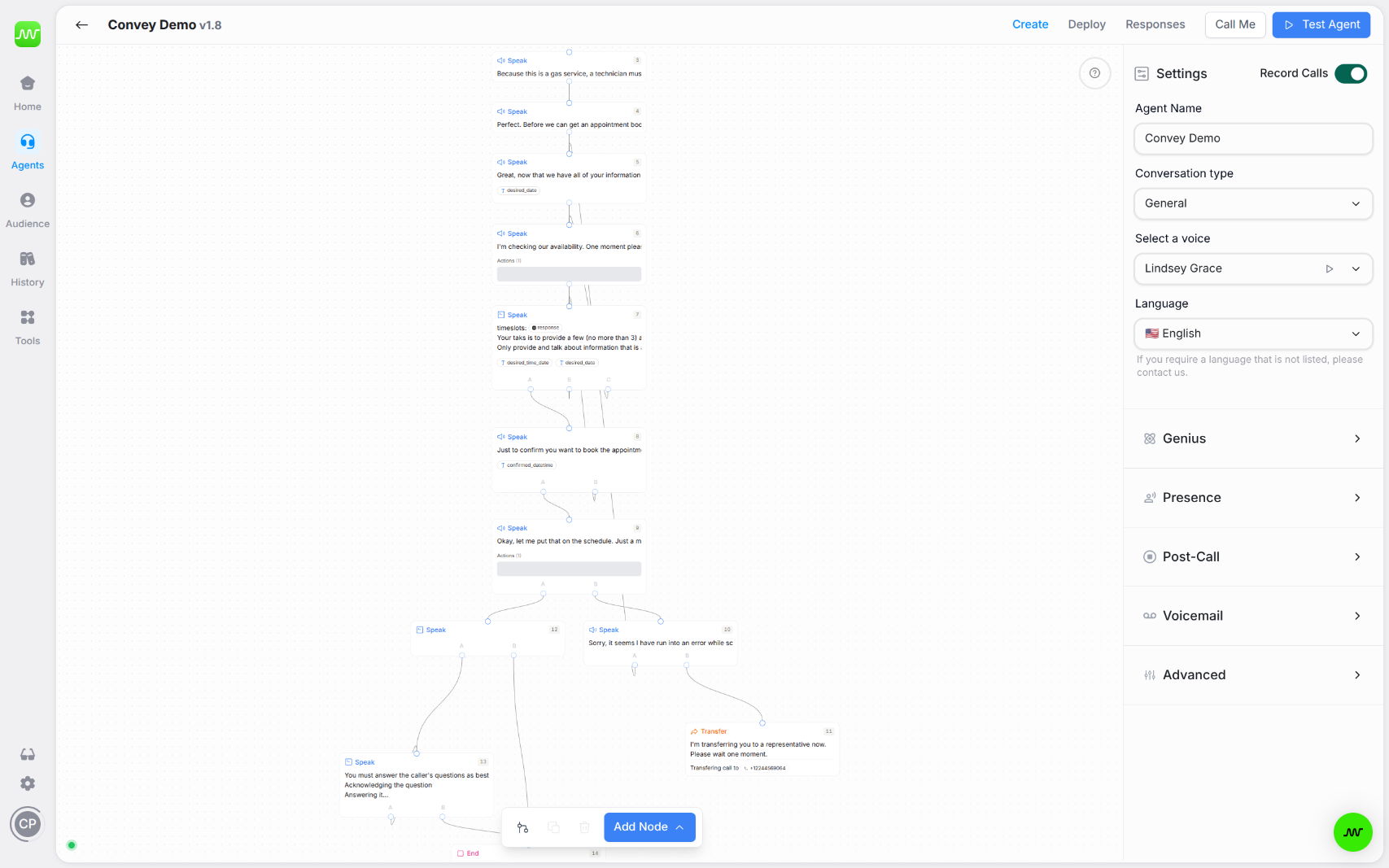 * **Nodes and their types** - The building blocks of a flow: Start, Speak (Message/Prompt), Transfer, End
* **Outcomes** - Decide where to go next after each turn (AI prompt-based or deterministic rule-based)
* **Variables** - Capture data from the conversation for branching and follow-up
* **Actions** - Run mid-call integrations (lookups, webhooks, schedulers) so the agent can do real work
* **Settings** - Tune voice, language, presence/endpointing, knowledge, and post-call behavior
* **Testing (Test Agent & Call Me)** - Validate logic via text and polish the live voice experience with real calls
## Builder workflow (high level)
1. Sketch the flow with Nodes and their types (Start -> Speak -> Transfer/End).
2. Define navigation using Outcomes (pick prompt-based or rule-based per node).
3. Capture facts with Variables (extracted before outcomes).
4. Add mid-call work with Actions (lookups, booking, CRM updates) and route on results.
5. Tune Settings (voice, language, presence, voicemail handling, advanced prompt).
6. Test with Test Agent (text) -> Call Me (live call), then iterate.
## What to use when
* **Fixed, must-say lines** -> Use Speak > Message and enable *Repeat verbatim*.
* **Composed responses from context/data** -> Use Speak > Prompt.
* **Open-ended interpretation** -> Choose prompt-based outcomes.
* **Compliance or precision** -> Choose rule-based outcomes.
* **Need external data or side effects** -> Add Actions.
* **Branching on captured data** -> Combine Variables with rule checks.
* **Final polish** -> Adjust Settings and run Call Me.
## Build your first agent (10-minute quick start)
1. Create an agent and set Voice/Language under Settings.
2. Add a Start node with a short opener and any required consent.
3. Add a Speak -> Prompt for qualification, and define three to four Outcomes (for example Book now, Call back, Not interested, Clarify).
4. Add Variables (for example email, budget) with clear extraction instructions.
5. Add an Action (CRM lookup or scheduler) and use rule-based outcomes to branch on results.
6. Use Test Agent to verify paths; then Call Me for a real call and tune presence/latency.
7. Add Transfer and End nodes to finish gracefully.
## Troubleshooting
**Agent not responding as expected**
* Test with [Test Agent](/agents/testing) first to debug conversation flow
* Check that outcomes are configured (prompt-based or rule-based)
* Verify variables are extracting data correctly
* Review [Settings](/agents/settings) for voice and language configuration
**Conversation getting stuck at a node**
* Ensure all nodes have outcomes defined (no dead ends)
* Add Else/Default outcome in rule-based routing
* Check that prompt outcomes have at least 2-3 options
* Use [Testing](/agents/testing) to trace execution path
**Actions not executing**
* Verify integration is connected in [Settings](/agents/settings)
* Check action configuration has all required fields
* Test integration separately in [Automations](/automations/getting-started)
* Review action execution order (actions → variables → outcomes)
**Voice quality or timing issues**
* Adjust [presence settings](/agents/settings#presence-tab)
* Try different voices from the [Voice Selector](/agents/voices)
* Test with [Call Me](/agents/testing#call-me-real-call) to hear actual performance
* Review network latency and server region settings
**Common Mistake**: Building complex flows without testing each node. Always use [Test Agent](/agents/testing) to validate conversation logic before adding more nodes. This catches issues early when they're easy to fix.
## Best Practices
* **Actions execute before outcomes** in a node. Order: actions → variables → outcomes. On nodes with actions, outcomes evaluate immediately after the action completes — before the caller speaks again — so use rule-based (not prompt-based) outcomes on action nodes.
* **Prompt outcomes** are great for open conversational turns. Use **rule outcomes** for form validation or compliance checks.
* **Test with Test Agent** (text) first to refine logic cheaply, then **Call Me** (voice) to polish live sound.
* **[Genius](/genius/getting-started) stores information**. Agent instructions or custom prompts shape behavior.
* **Start simple**: Build a basic flow, test it, then add complexity incrementally.
## See also
* [Nodes](/agents/nodes) - build blocks and their types
* [Outcomes](/agents/outcomes) - route the conversation
* [Variables](/agents/variables) - capture and reuse data
* [Actions](/agents/actions) - run integrations and logic mid-call
* [Settings](/agents/settings) - voice, language, presence, advanced customization
* [Testing](/agents/testing) - validate and refine your agent
* [Genius](/genius/getting-started) - adding knowledge to agents
* [Glossary: Voice Agent](/resources/glossary#voice-agent) - understanding voice AI, Call Me, and troubleshooting
* **Nodes and their types** - The building blocks of a flow: Start, Speak (Message/Prompt), Transfer, End
* **Outcomes** - Decide where to go next after each turn (AI prompt-based or deterministic rule-based)
* **Variables** - Capture data from the conversation for branching and follow-up
* **Actions** - Run mid-call integrations (lookups, webhooks, schedulers) so the agent can do real work
* **Settings** - Tune voice, language, presence/endpointing, knowledge, and post-call behavior
* **Testing (Test Agent & Call Me)** - Validate logic via text and polish the live voice experience with real calls
## Builder workflow (high level)
1. Sketch the flow with Nodes and their types (Start -> Speak -> Transfer/End).
2. Define navigation using Outcomes (pick prompt-based or rule-based per node).
3. Capture facts with Variables (extracted before outcomes).
4. Add mid-call work with Actions (lookups, booking, CRM updates) and route on results.
5. Tune Settings (voice, language, presence, voicemail handling, advanced prompt).
6. Test with Test Agent (text) -> Call Me (live call), then iterate.
## What to use when
* **Fixed, must-say lines** -> Use Speak > Message and enable *Repeat verbatim*.
* **Composed responses from context/data** -> Use Speak > Prompt.
* **Open-ended interpretation** -> Choose prompt-based outcomes.
* **Compliance or precision** -> Choose rule-based outcomes.
* **Need external data or side effects** -> Add Actions.
* **Branching on captured data** -> Combine Variables with rule checks.
* **Final polish** -> Adjust Settings and run Call Me.
## Build your first agent (10-minute quick start)
1. Create an agent and set Voice/Language under Settings.
2. Add a Start node with a short opener and any required consent.
3. Add a Speak -> Prompt for qualification, and define three to four Outcomes (for example Book now, Call back, Not interested, Clarify).
4. Add Variables (for example email, budget) with clear extraction instructions.
5. Add an Action (CRM lookup or scheduler) and use rule-based outcomes to branch on results.
6. Use Test Agent to verify paths; then Call Me for a real call and tune presence/latency.
7. Add Transfer and End nodes to finish gracefully.
## Troubleshooting
**Agent not responding as expected**
* Test with [Test Agent](/agents/testing) first to debug conversation flow
* Check that outcomes are configured (prompt-based or rule-based)
* Verify variables are extracting data correctly
* Review [Settings](/agents/settings) for voice and language configuration
**Conversation getting stuck at a node**
* Ensure all nodes have outcomes defined (no dead ends)
* Add Else/Default outcome in rule-based routing
* Check that prompt outcomes have at least 2-3 options
* Use [Testing](/agents/testing) to trace execution path
**Actions not executing**
* Verify integration is connected in [Settings](/agents/settings)
* Check action configuration has all required fields
* Test integration separately in [Automations](/automations/getting-started)
* Review action execution order (actions → variables → outcomes)
**Voice quality or timing issues**
* Adjust [presence settings](/agents/settings#presence-tab)
* Try different voices from the [Voice Selector](/agents/voices)
* Test with [Call Me](/agents/testing#call-me-real-call) to hear actual performance
* Review network latency and server region settings
**Common Mistake**: Building complex flows without testing each node. Always use [Test Agent](/agents/testing) to validate conversation logic before adding more nodes. This catches issues early when they're easy to fix.
## Best Practices
* **Actions execute before outcomes** in a node. Order: actions → variables → outcomes. On nodes with actions, outcomes evaluate immediately after the action completes — before the caller speaks again — so use rule-based (not prompt-based) outcomes on action nodes.
* **Prompt outcomes** are great for open conversational turns. Use **rule outcomes** for form validation or compliance checks.
* **Test with Test Agent** (text) first to refine logic cheaply, then **Call Me** (voice) to polish live sound.
* **[Genius](/genius/getting-started) stores information**. Agent instructions or custom prompts shape behavior.
* **Start simple**: Build a basic flow, test it, then add complexity incrementally.
## See also
* [Nodes](/agents/nodes) - build blocks and their types
* [Outcomes](/agents/outcomes) - route the conversation
* [Variables](/agents/variables) - capture and reuse data
* [Actions](/agents/actions) - run integrations and logic mid-call
* [Settings](/agents/settings) - voice, language, presence, advanced customization
* [Testing](/agents/testing) - validate and refine your agent
* [Genius](/genius/getting-started) - adding knowledge to agents
* [Glossary: Voice Agent](/resources/glossary#voice-agent) - understanding voice AI, Call Me, and troubleshooting